Best Mechanical Keyboards for Programming in 2026
Find the best mechanical keyboards for programming in 2026. Compare switches, layouts, and features for developers who type all day. Expert picks for every budget.
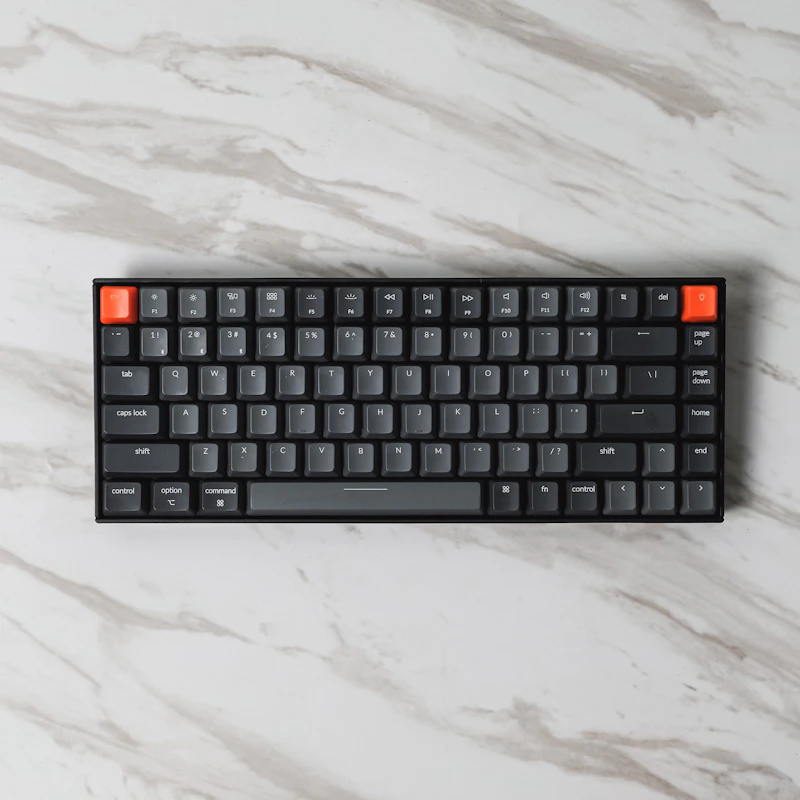
Introduction
As a programmer, your keyboard is arguably your most important tool — you interact with it for 8+ hours every day. A great mechanical keyboard can reduce fatigue, increase typing speed, and make the coding experience genuinely more enjoyable.
But the mechanical keyboard market is overwhelming: hundreds of options with different switches, layouts, and features. This guide cuts through the noise to recommend the best mechanical keyboards specifically for programming in 2026.
What Makes a Keyboard Good for Programming?
Key Factors
- Switch feel: Comfortable for extended typing sessions
- Layout: Full-size, TKL, or 75% — must have accessible arrow keys and modifiers
- Build quality: No flex, solid construction, premium keycaps
- Programmability: QMK/VIA support for custom key mappings
- Noise level: Appropriate for your environment (office vs. home)
- Connectivity: Wired for latency, wireless for flexibility
- Ergonomics: Split layouts or wrist rest compatibility
Switch Recommendations for Programmers
Tactile Switches (Best for Most Programmers)
Provide a noticeable bump at the actuation point without the loud click:
- Cherry MX Brown: The classic; light tactile bump, moderate noise
- Gateron Brown Pro 3.0: Smoother than Cherry, excellent value
- Holy Panda: Premium feel, pronounced tactile bump, community favorite
- Boba U4T: Strong tactile bump, thocky sound, very popular
Linear Switches (For Those Who Prefer Smooth)
No bump or click — smooth from top to bottom:
- Cherry MX Red: Light, fast, minimal fatigue
- Gateron Yellow: Excellent budget linear, slightly heavier than red
- Gateron Oil King: Premium smooth linear, pre-lubed
Clicky Switches (Home Office Only)
Audible click at actuation — satisfying but too loud for shared spaces:
- Cherry MX Blue: Classic clicky
- Kailh Box White: Crisp, clean click, less rattly than Blue
Recommendation for most programmers: Tactile switches (Boba U4T or Gateron Brown) — the tactile feedback helps with accurate typing without being disruptive.
Top Picks
1. Keychron Q1 Max — Best Overall ($199)
Why programmers love it:
- 75% layout: Compact but retains F-row and arrow keys
- Gasket mount: Premium typing feel with slight flex
- QMK/VIA support: Fully programmable — remap any key, create macros, layers
- Hot-swappable: Try different switches without soldering
- Triple connectivity: USB-C, Bluetooth 5.1, 2.4GHz wireless
- Aluminum CNC case: Solid, premium construction
- PBT keycaps: Durable, won't develop shine
Ideal switch pairing: Gateron Jupiter Brown (included option) or swap to Boba U4T
2. HHKB Professional Hybrid Type-S — Best for Vim/Unix ($280)
The programmer's legend:
- Topre switches: Electrocapacitive — unique, addictive feel
- 60% layout with Unix-optimized key placement
- Control key where Caps Lock is: Perfect for Vim and terminal use
- Type-S: Silenced version (office-friendly)
- Bluetooth + USB-C: Wireless convenience with wired backup
- PBT keycaps: Classic HHKB texture
- Cult following among programmers for decades
Who it's for: Vim users, Unix/macOS developers, and those who value the unique Topre typing experience. The layout takes getting used to but converts swear by it.
3. ZSA Voyager — Best Ergonomic Split ($365)
For programmers who take ergonomics seriously:
- Split design: Each half positions independently for natural shoulder width
- Low-profile Kailh Choc switches: Minimal finger travel
- Oryx configurator: Visual key mapping with layers and macros
- Portable: Thin and light enough for travel
- Column-staggered: Keys aligned with natural finger movement (not row-staggered like standard keyboards)
- Magnetic tenting legs: Adjustable angle for wrist comfort
Learning curve: 2-4 weeks to adapt, but reduced strain over years of programming is worth it.
4. Leopold FC660M — Best No-Nonsense ($110)
Quiet excellence:
- 65% layout: Compact with dedicated arrow keys
- Cherry MX switches: Proven reliability
- PBT doubleshot keycaps: Best stock keycaps in its price range
- Sound dampening: Internal padding reduces noise
- No RGB, no wireless, no software: Just a perfectly built keyboard
- Cherry stabilizers: Well-tuned out of the box
Who it's for: Programmers who want quality without gimmicks. The Leopold is the "Toyota Corolla" of keyboards — reliable, excellent, understated.
5. Nuphy Air75 V2 — Best Low-Profile Wireless ($120)
For laptop-like typing on a desktop:
- Low-profile Gateron switches: Less finger travel, faster typing
- 75% layout: Full functionality in compact form
- Triple connectivity: Bluetooth (3 devices), 2.4GHz, USB-C
- Excellent battery: 2+ weeks on a charge
- Mac and Windows compatible: Swappable key layouts
- Slim and portable: Great for hybrid work
6. Kinesis Advantage 360 — Best for RSI Prevention ($449)
Maximum ergonomics:
- Sculpted concave key wells: Keys curved to match finger reach
- Split halves: Independent positioning
- Thumb clusters: Frequently used keys (Enter, Space, Backspace) under your strongest digits
- SmartSet programming: On-board key remapping
- Proven ergonomic design: Based on decades of research
Investment, not expense: If you're experiencing wrist/hand pain from typing, this keyboard can extend your career.
7. Keychron K2 Pro — Best Budget ($80)
Entry-level excellence:
- 75% layout
- QMK/VIA programmable: Unusual at this price point
- Hot-swappable: Experiment with switches
- Bluetooth + USB-C
- Aluminum frame: Solid for the price
- Available with many switch options
Best starter mechanical keyboard for programmers who aren't sure what they want yet.
Layout Guide for Programmers
Full-Size (100%)
- All keys present including numpad
- Good for: Data entry, number-heavy work
- Bad for: Desk space, mouse reach (numpad pushes mouse far right)
TKL / Tenkeyless (80%)
- Removes numpad, keeps everything else
- Good for: Most programming, balanced size
- Popular: Most office mechanical keyboards
75%
- Compact TKL — squeezes F-row and arrows into a tighter layout
- Best for most programmers: All essential keys in minimal space
- Examples: Keychron Q1, NuPhy Air75
65%
- Removes F-row, keeps arrow keys and some navigation
- Good for: Programmers who rarely use F-keys (or remap them to a layer)
- Examples: Leopold FC660M, Keychron Q2
60%
- Minimal — no F-row, no arrows, no navigation keys
- Good for: Vim/Emacs users who live on layers
- Examples: HHKB, Anne Pro
Split
- Two halves for ergonomic positioning
- Good for: RSI prevention, long-term comfort
- Learning curve: 2-4 weeks
- Examples: ZSA Voyager, Kinesis Advantage
Customization for Programming
Essential Key Remaps
Caps Lock → Control: The single most useful remap for programmers:
- Vim: Control is used constantly
- Terminal: Ctrl+C, Ctrl+D, Ctrl+Z right under your pinky
- macOS: Control key combos are easier
Layer system (via QMK/VIA):
- Hold a key to access a second layer of functions
- Example: Hold
Fn+HJKL= Vim-like arrow keys anywhere - Put media controls, F-keys, and numpad on secondary layers
Useful Macros for Programmers
=>(arrow function)console.log()with cursor positioned inside- Git commands:
git commit -m "" - Language-specific snippets
Keycap Considerations
PBT vs ABS
- PBT: Textured, durable, doesn't develop shine. Recommended for programmers.
- ABS: Smoother, develops shine over time, but allows more vibrant colors
Profile
- Cherry/OEM: Standard, comfortable, widely available
- SA: Tall, sculpted, retro aesthetic
- DSA/XDA: Uniform height, easy to rearrange
- MT3: Sculpted like SA but with scooped tops for accuracy
Conclusion
The best mechanical keyboard for programming depends on your priorities:
- Best overall: Keychron Q1 Max ($199) — programmable, hot-swap, premium build
- Best for Vim/Unix: HHKB Professional Hybrid Type-S ($280)
- Best ergonomic: ZSA Voyager ($365) or Kinesis Advantage 360 ($449)
- Best value: Keychron K2 Pro ($80)
- Best no-frills: Leopold FC660M ($110)
Whatever you choose, a quality mechanical keyboard is one of the best investments you can make as a programmer. Your fingers will thank you — every single day.